Accounts receivable automation in Odoo — the chase that starts itself
ⓘ About this article & how it was made
AR automation is four layers — aging visibility, reminder cadences, dunning escalation, cash application — and its real job is removing the human bottleneck from starting the chase while keeping humans on judgment. Odoo's native Payment Follow-Ups handle levels and timing; what they can't read is the situation (the promise made on a call, the disputed line). That's where an approval-gated assistant fits: context-aware drafts, your send. DSO claims in this category are vendor-grade — measure your own.
I run operations, which means the aging report is my Friday companion, and I can tell you what I most often see delaying payment in SMB collections work: not customers refusing to pay, but the chase not starting. The reminder that waits for someone to get a minute is the reminder sent a week late — invoice after invoice, quarter after quarter. AR automation exists to remove that human bottleneck from the starting of the chase while keeping humans on the judgment. This guide covers what the category includes, what Odoo gives you natively, and where an assistant earns its place.
#What AR automation actually covers
Four layers, in escalating value. Aging visibility: outstanding balances by customer and bucket — current, 1–30, 31–60, beyond — visible without building a report. Reminder cadences: pre-due notes and past-due follow-ups on a schedule (a common shape: pre-due, due date, +7, +14), each in the right tone for its stage. Dunning escalation: the multi-step sequence from friendly nudge to formal notice, driven by days past due and amount. Cash application: matching arriving payments to open invoices so the picture stays true. On measurable impact, the honest note our research forced: quantified DSO improvements in this category come mostly from vendor case studies rather than peer-reviewed work — directionally consistent (chases that start earlier collect sooner), but treat any vendor's specific number, ours included, as a claim to verify on your own ledger.
#What Odoo gives you natively
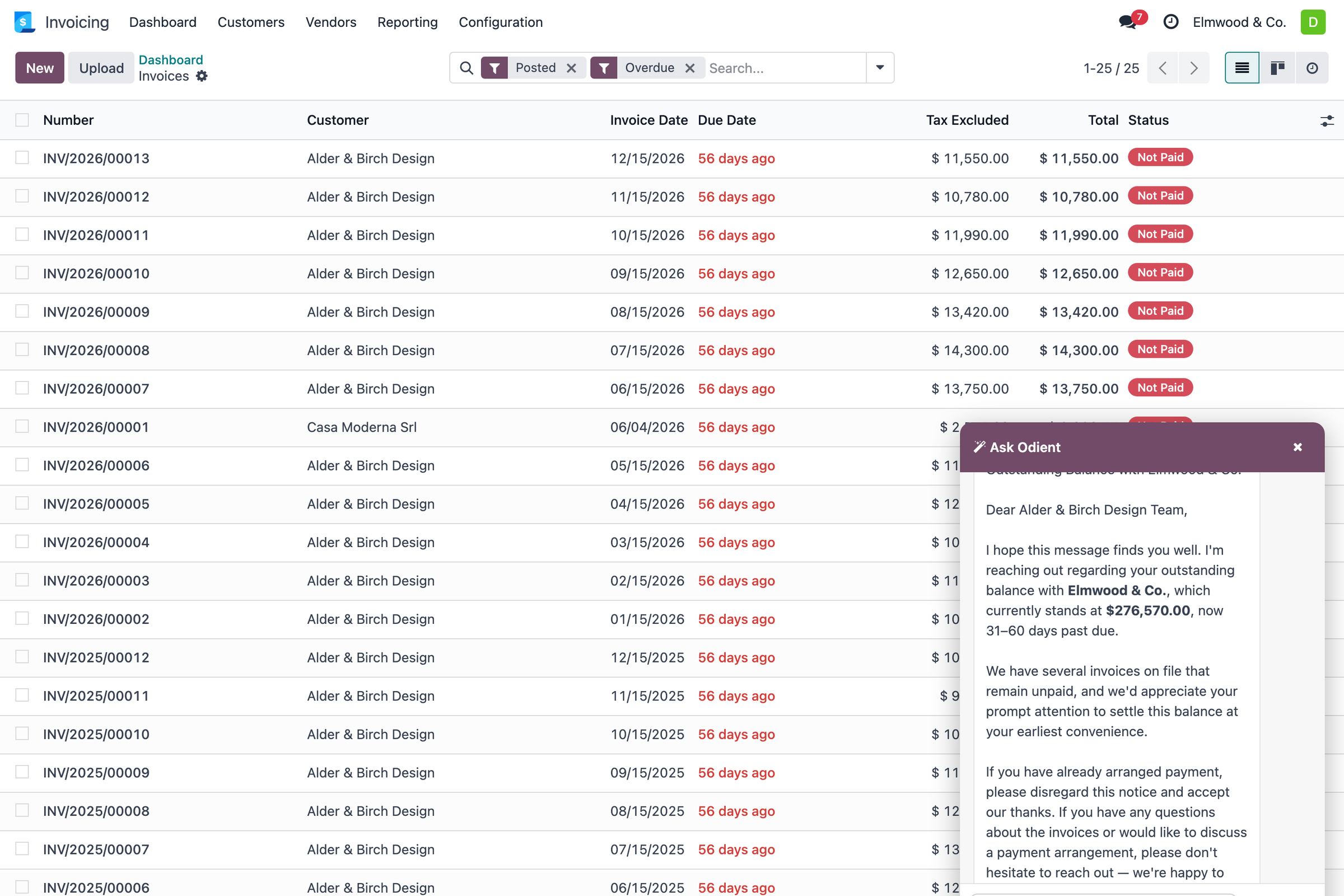
Odoo's own AR machinery is Payment Follow-Ups: configurable reminder levels with per-level timing and message templates, follow-up reports grouping customers by how overdue they are, and the aging views that feed it — connected to invoicing and payments because it all shares one database. Configure the levels honestly — the tone-graded wording matters as much as the timing, which is why we published a free pack of seven reminder templates with the timing playbook — and Odoo will surface who needs chasing and prepare the sends per level. What the native machinery does not do is read the situation: it escalates on schedule whether or not the customer replied yesterday, promised a date on a call, or disputed a line.
#Where an assistant fits — judgment between the levels
That situational gap is where an approval-gated assistant earns its keep. Ask "what's overdue and who do I actually need to nudge" and get the answer with the context attached — this account is 96% of the balance, that one promised payment Tuesday — then a reminder drafted on your wording, held for your approval. The send stays yours; the assembling stops being your Friday. That flow, with the real ledger figures above, is the services page's whole story; the principle is the one that runs through everything we build — automation for the starting, humans for the judgment, one audit row either way.
#Frequently asked questions
What DSO improvement should I expect from AR automation?
Honest answer: the published numbers are vendor-case-study-grade. The mechanism is real — chases that start on day one instead of day eight collect earlier — so pilot on your own ledger for a quarter and measure your own before/after rather than trusting anyone's brochure.
Does Odoo have AR automation built in?
Yes — Payment Follow-Ups with configurable reminder levels, follow-up reports and aging views, on both editions' accounting scopes (Community's accounting is lighter; see the editions comparison).
Should reminders send automatically or wait for approval?
Cadence sends for routine small balances, approval holds for large amounts and sensitive accounts — a threshold you set. That split is exactly what a write policy with value caps expresses.
Pravesh runs operations at Zehntech and owns the workflows Odient automates — quote to cash, receivables, the shop floor. He judges every feature by the hours it gives back.